Skip to project
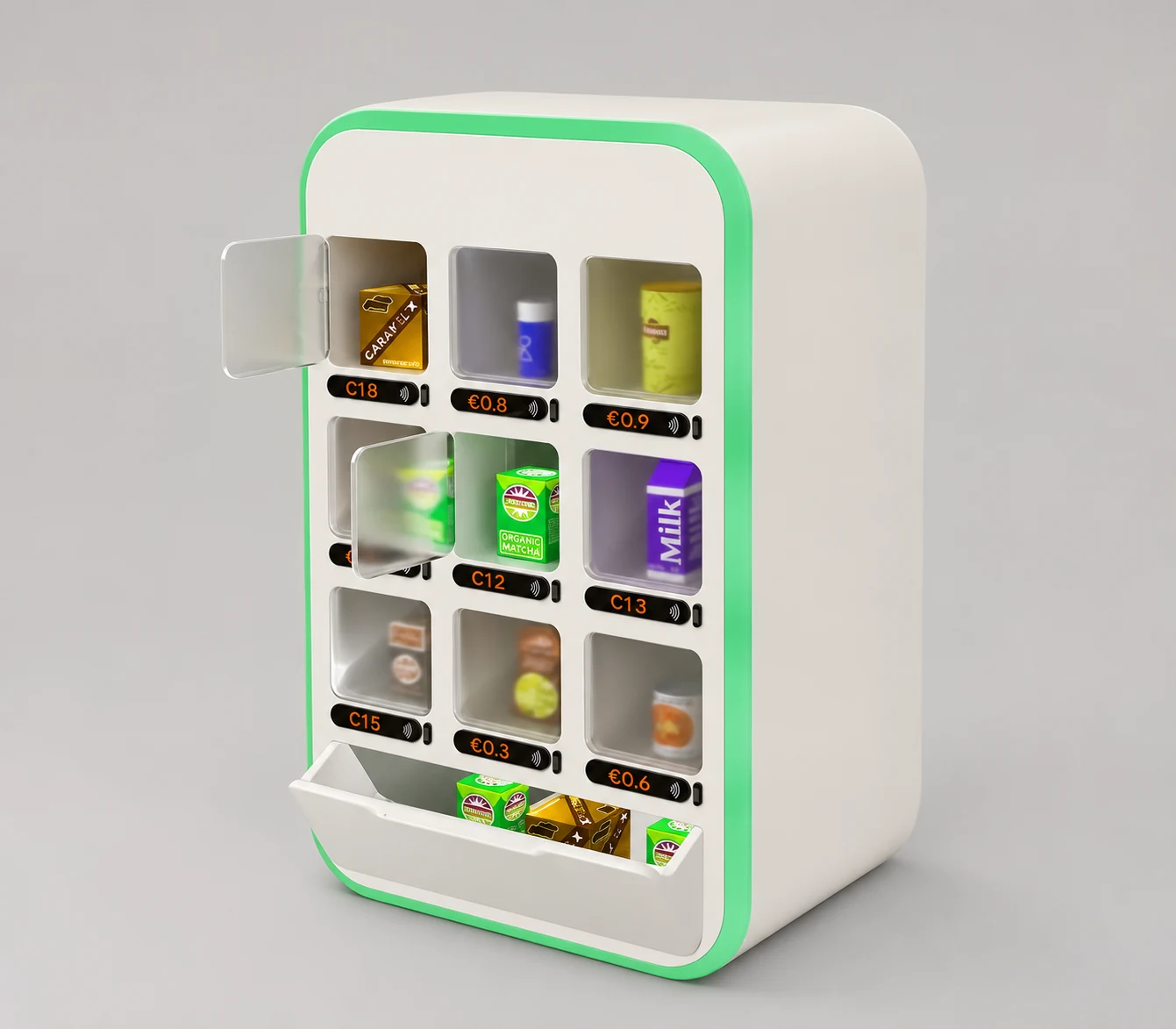
Three-quarter view of the Foodark cabinet with mint-green trim, nine glazed compartments and an open lower tray.
Cabinet study, 2022 · Retouched for display

Service design · 2022

The Foodark System

A cabinet and two apps for collecting surplus food after shops close.

At Gil’s Bakery

The shop closes. Pickup stays open.

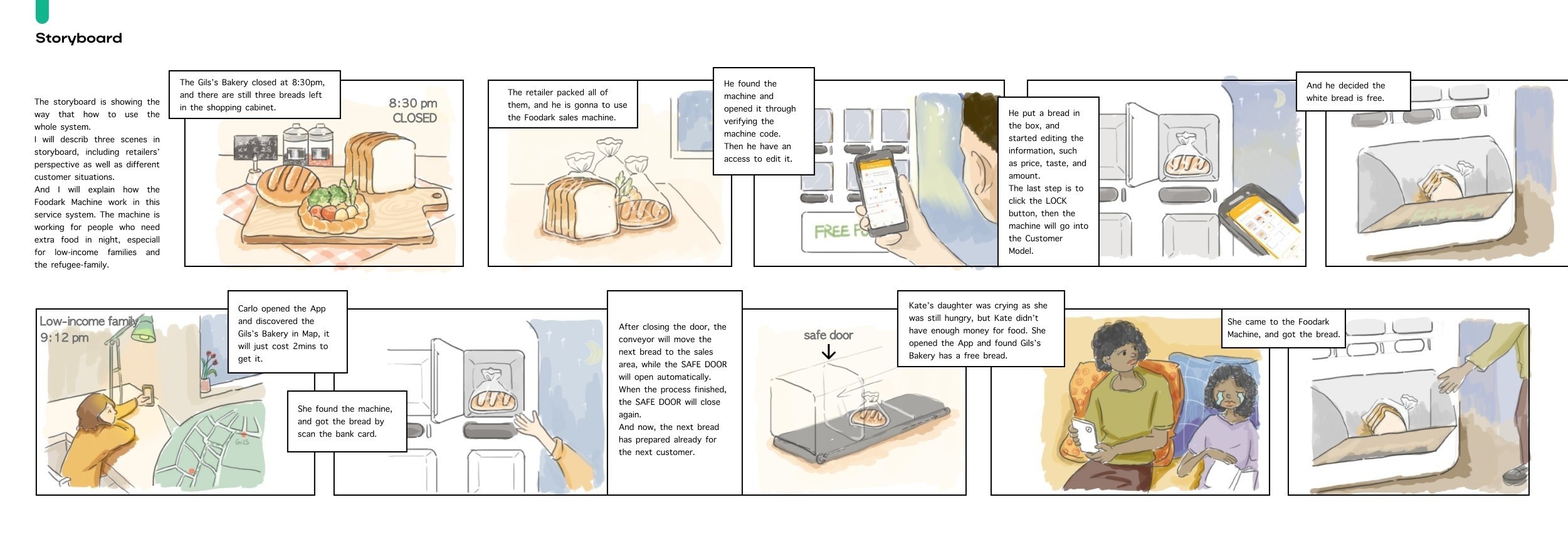
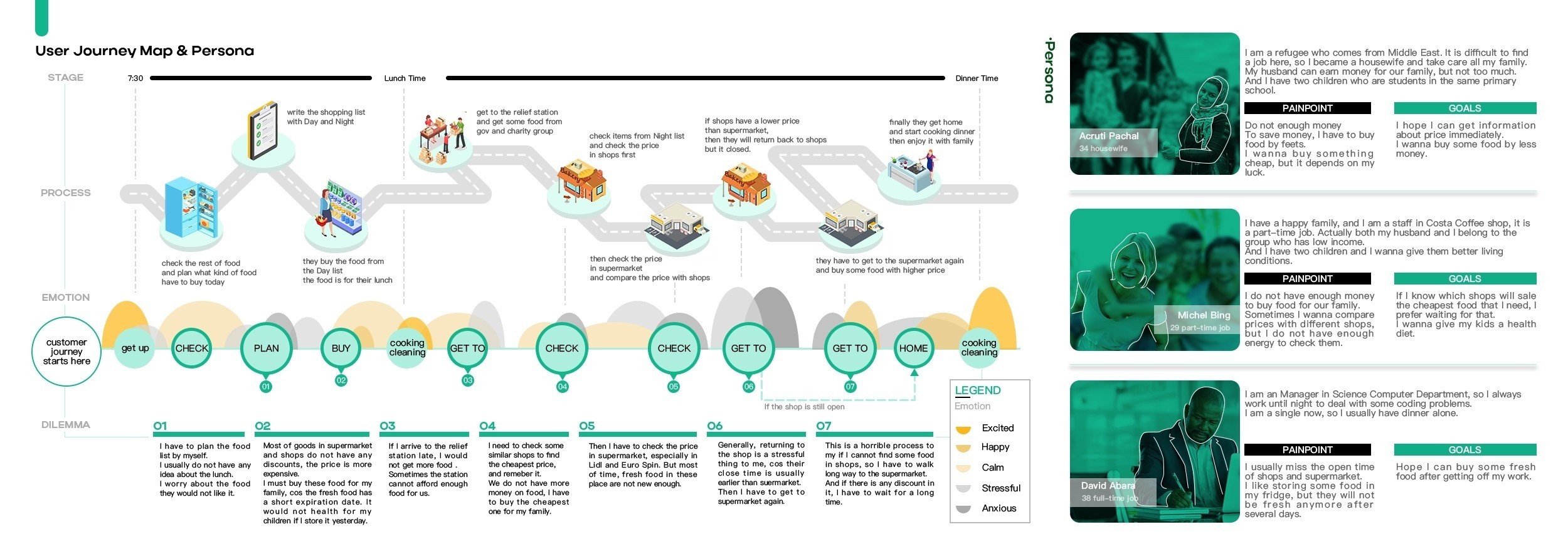
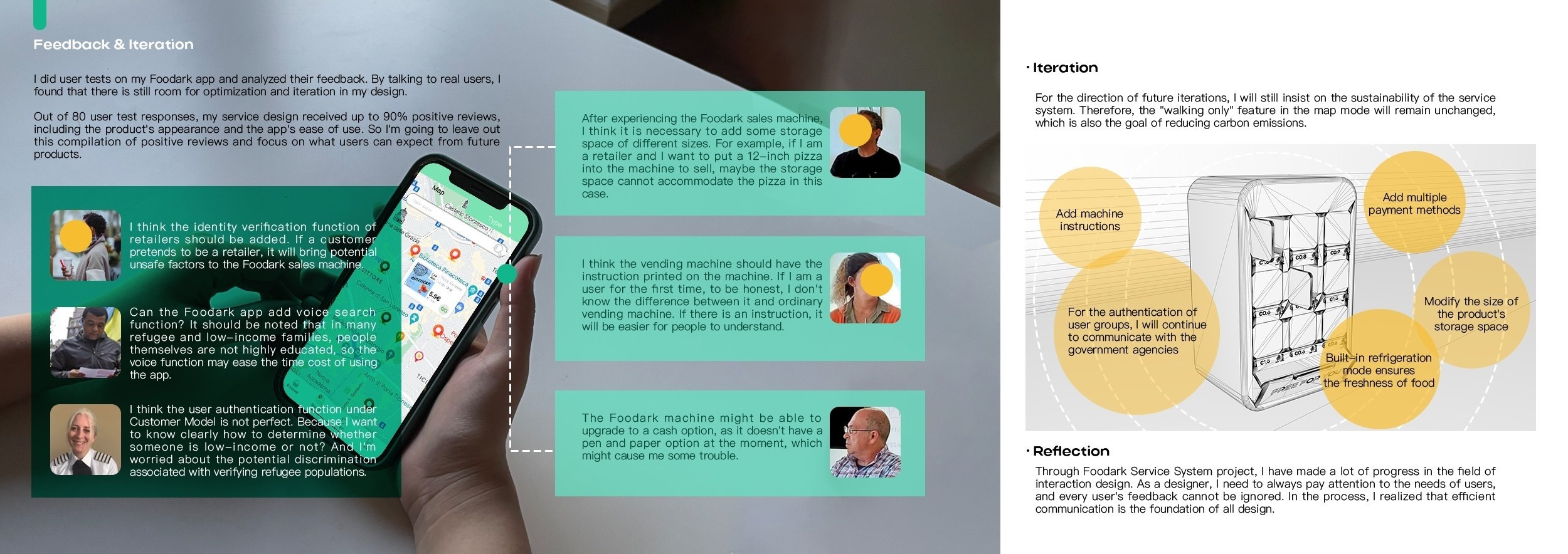
At closing, staff check dates and discard what they can no longer sell. The original customer journey shows how shoppers comparing prices could arrive after closing and have to make another trip. An outdoor cabinet gives the shop a place to offer suitable surplus, and the app lets shoppers check what is available before walking over.

Original drawing of a customer reaching for a wrapped loaf behind an unlocked door.
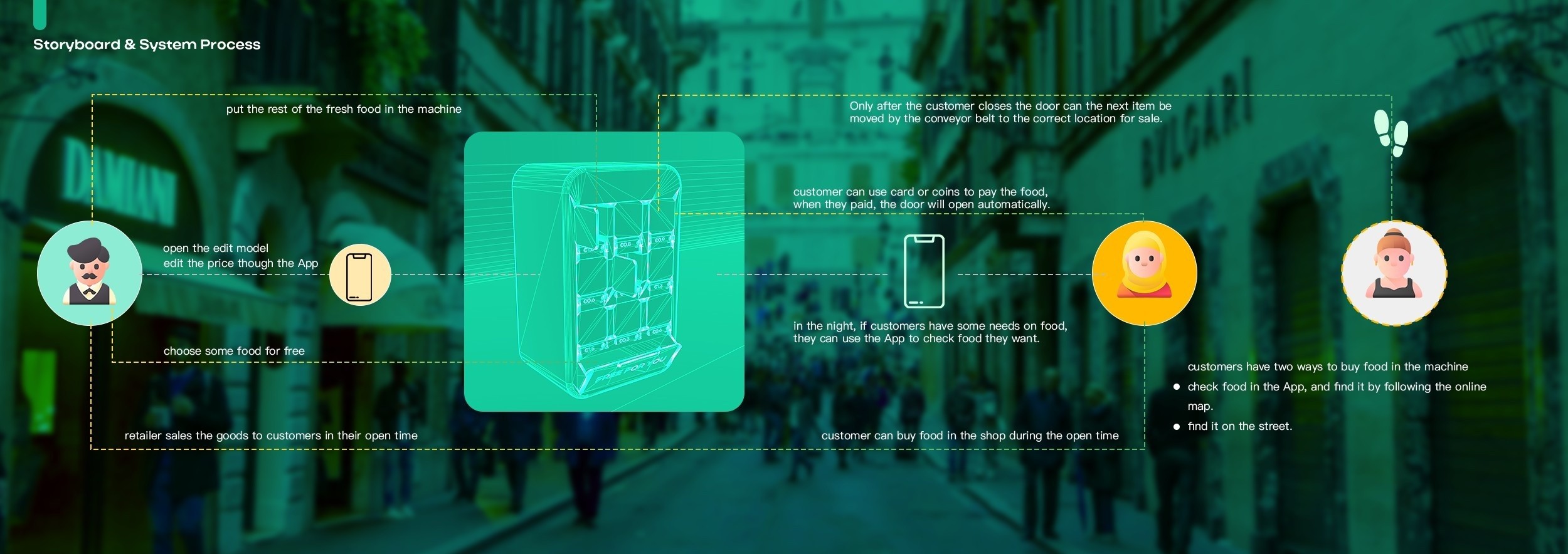
Paid pickup · Original storyboard Carlo taps a bank card at the cabinet to unlock the compartment.
Original drawing of a customer reaching into the open lower tray for a loaf.
Free pickup · Original storyboard Kate collects a loaf from the open lower tray without paying.

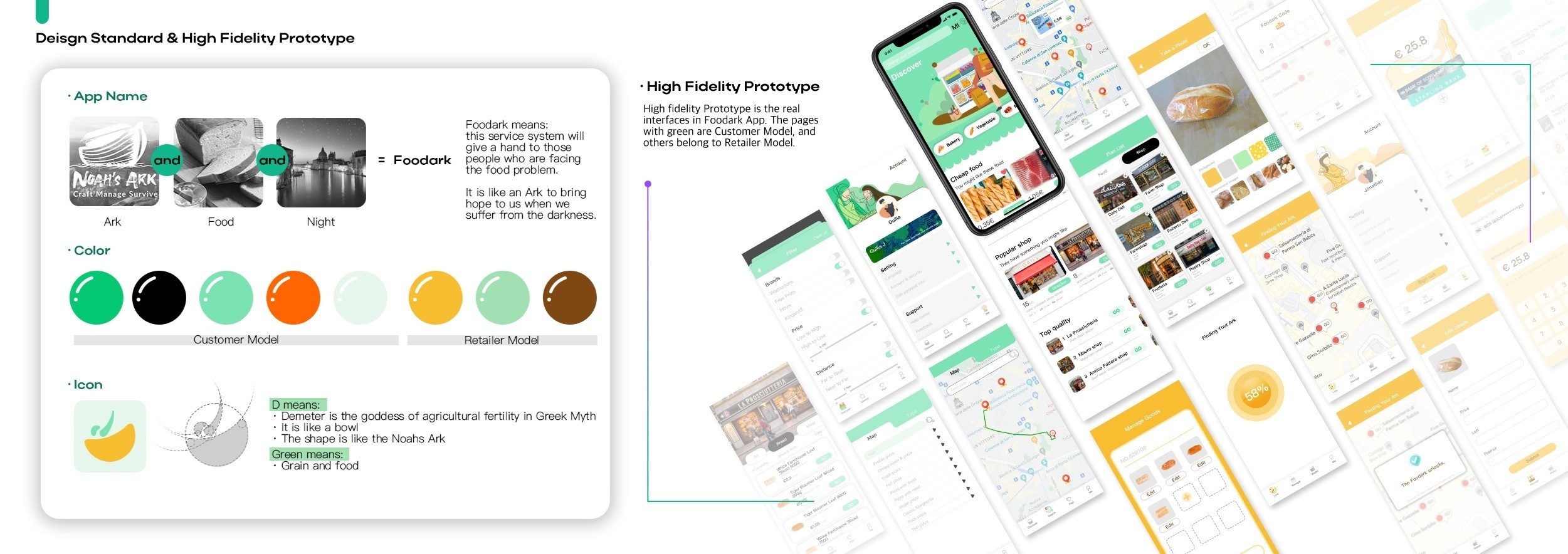
Retailer app and customer app

The same loaf on two screens.

Gil’s Bakery closes at 8:30 pm. The baker lists two rustic loaves in compartment B2 and sets aside a white loaf for free pickup. Publishing those two options makes them visible to the customer.

Retailer

Load, lock and publish.

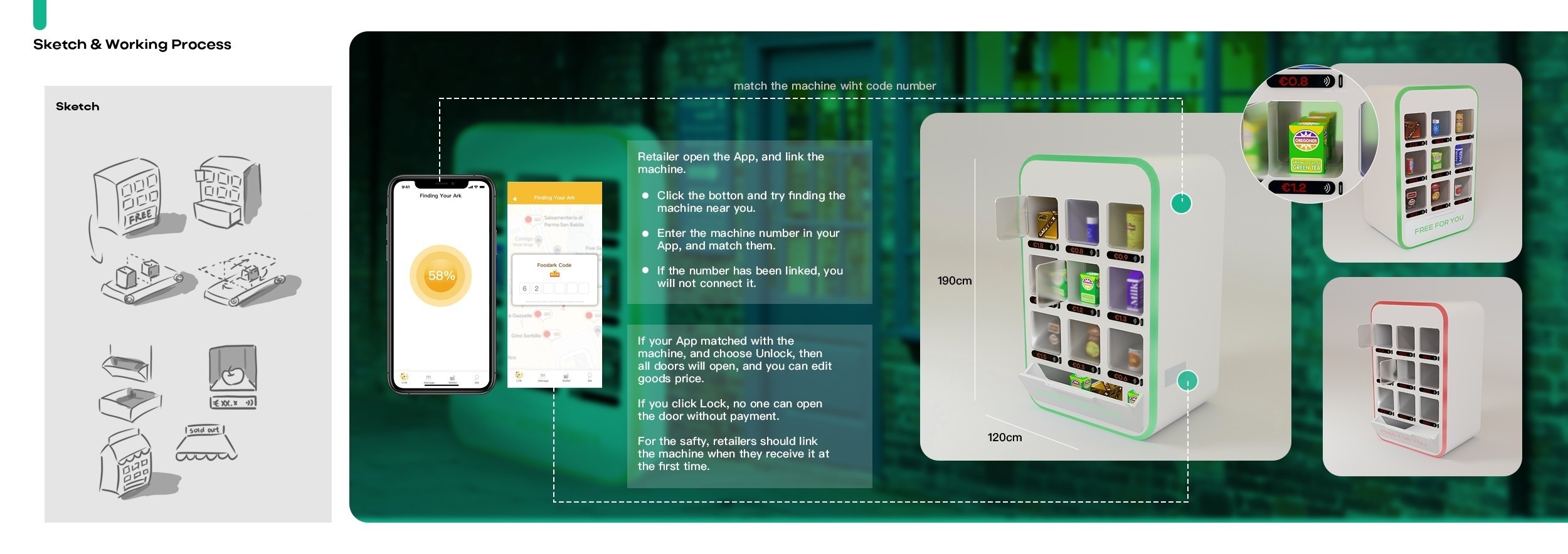
Staff link their cabinet by code, assign the loaves to a compartment and set the price. Locking the cabinet switches it from stocking to pickup and makes that stock visible to the customer.
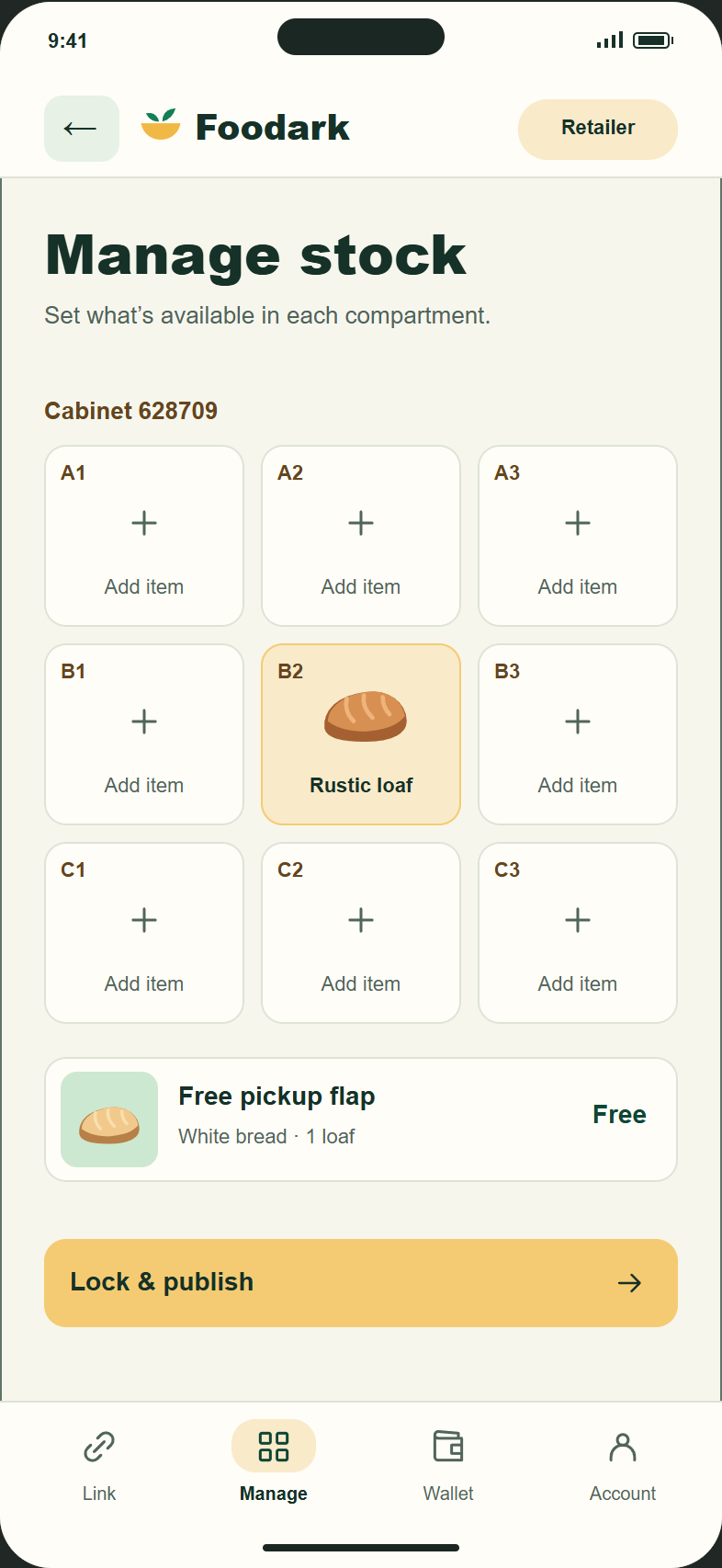
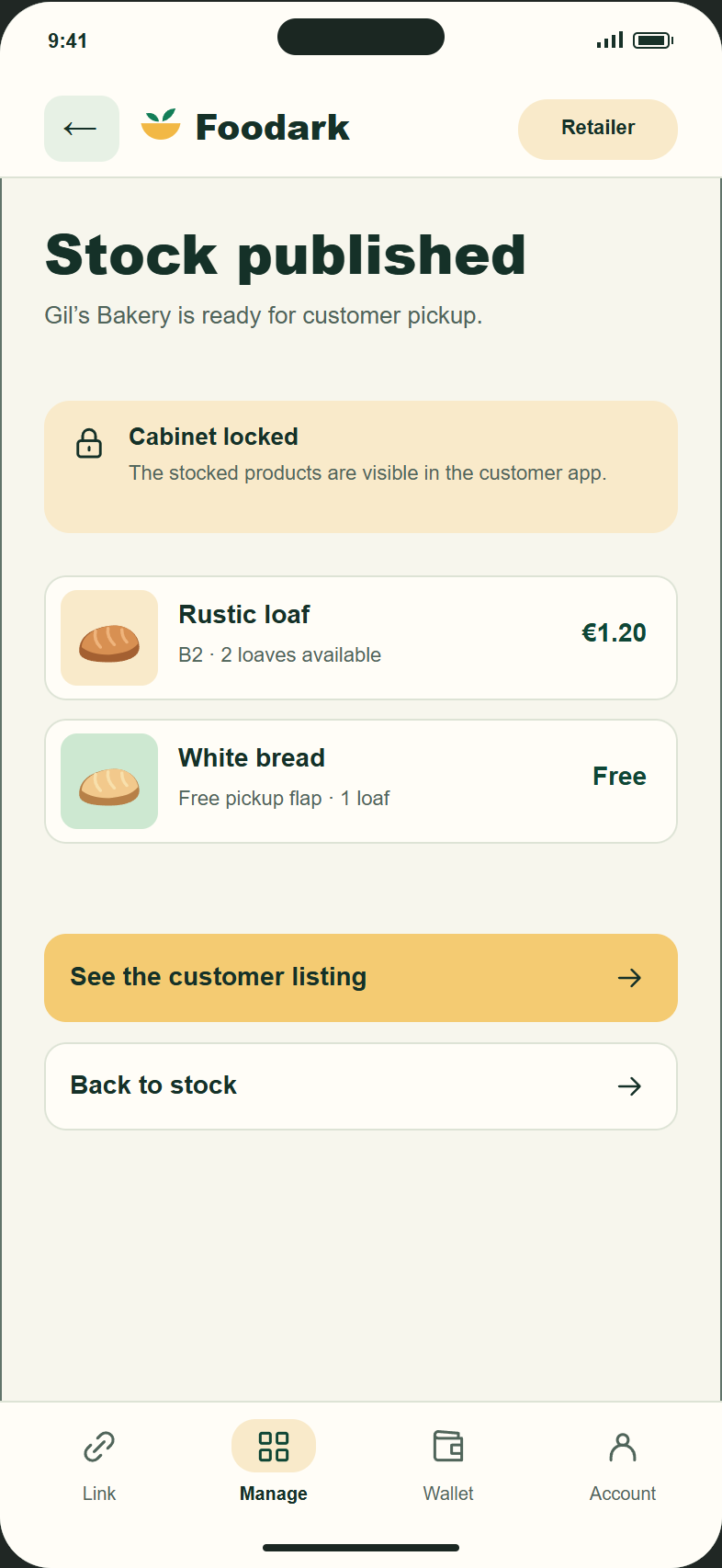
Retailer prototype · Assign stock to B2, then publish both pickup options.

Rustic loaf B2 · €1.20

Customer

Check the stock before leaving.

The listing carries the same loaf, price and compartment, along with the free option. The customer can check what is due to be available and follow walking directions. At the cabinet, B2 identifies the door to pay at.
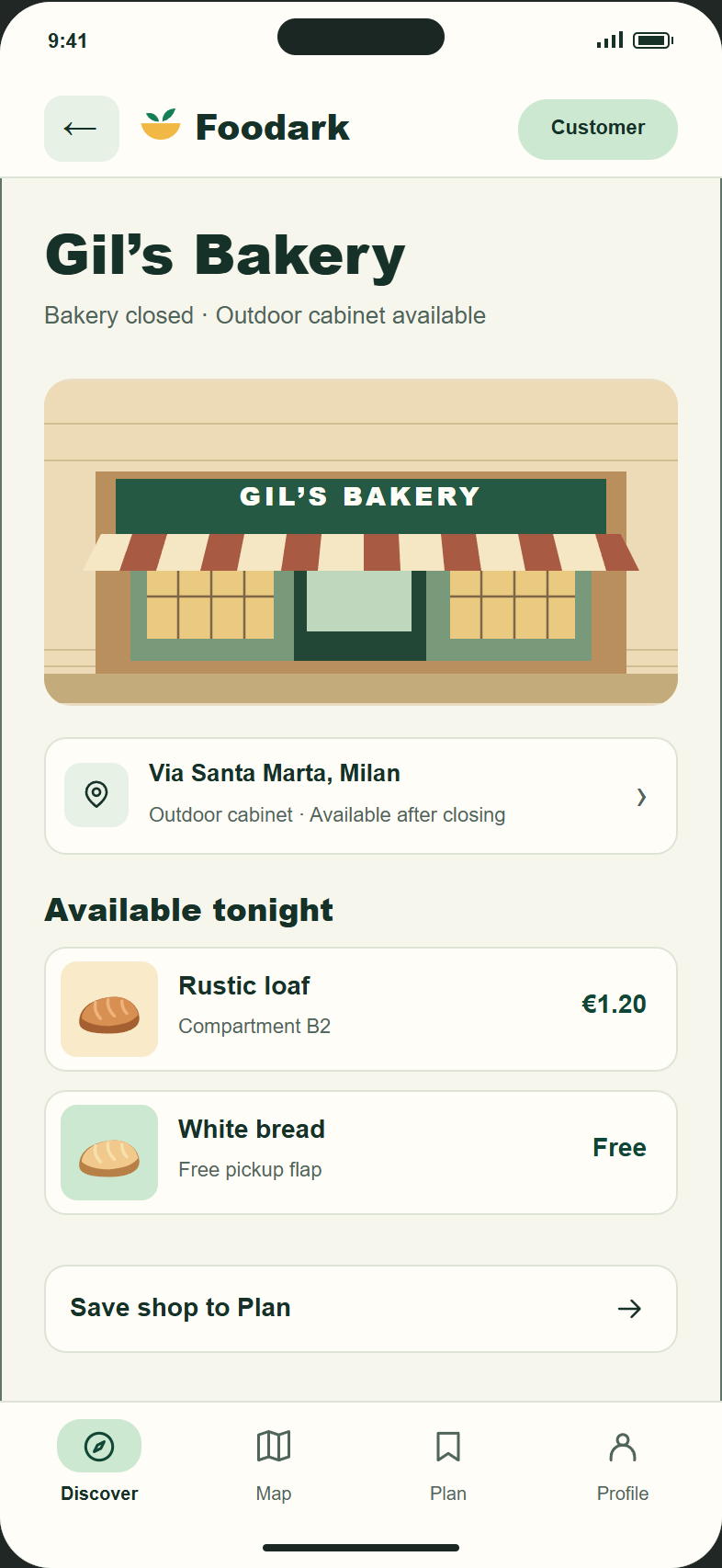
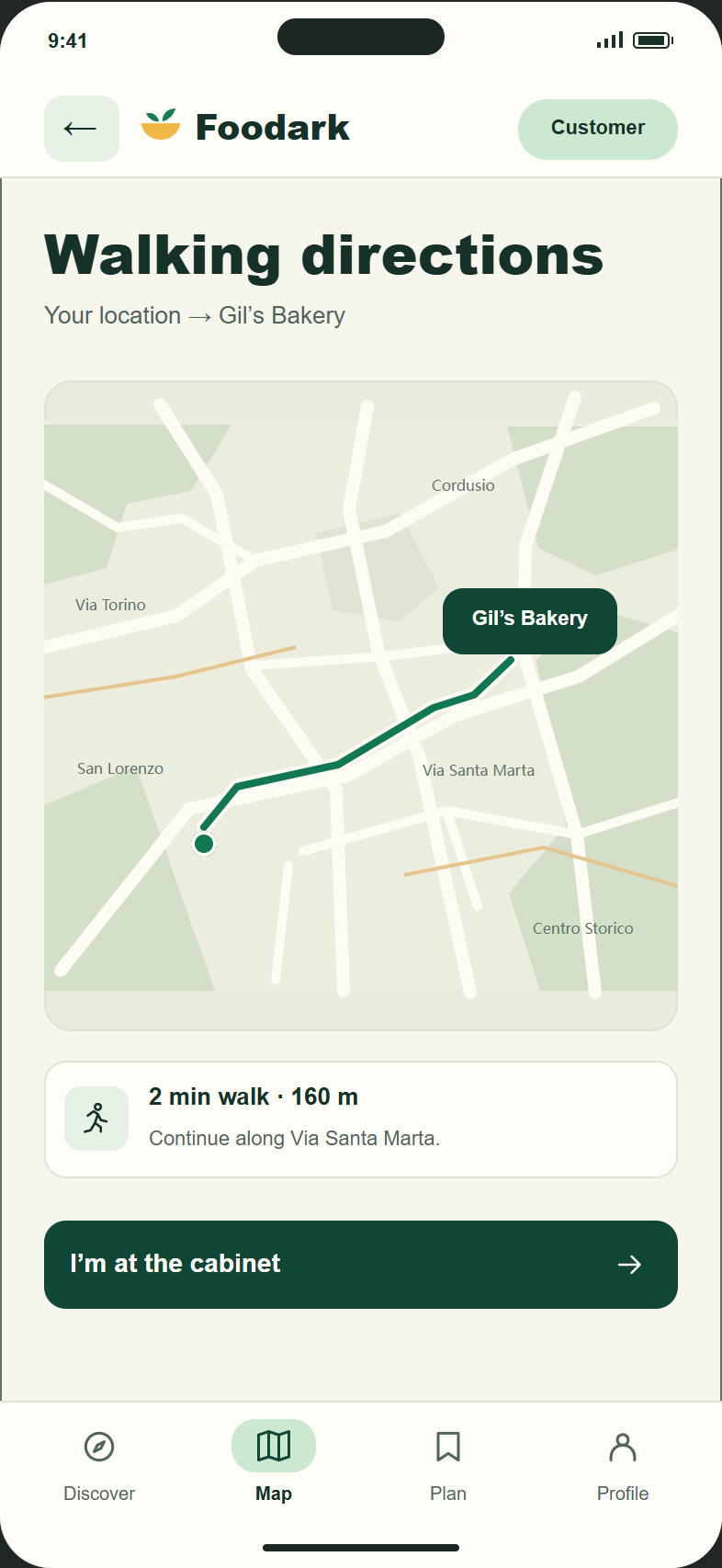
Customer prototype · Choose what to collect and find the cabinet on foot.
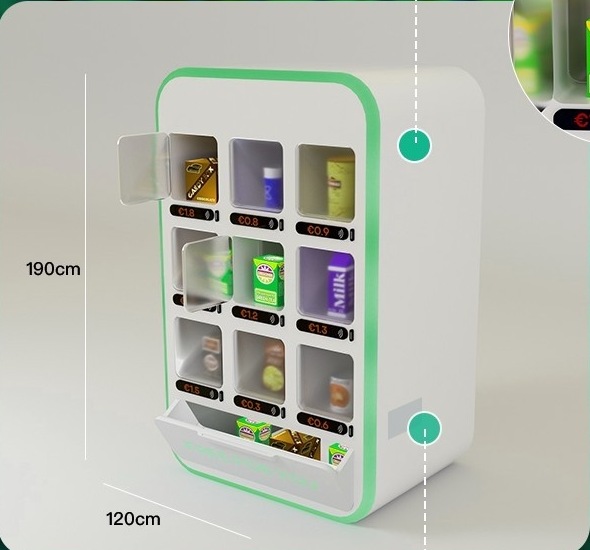
Cabinet detail showing glazed doors with their own payment strips and a broad flap labelled Free for you.
Reconstruction detail · Individual payment strips above the free pickup flap. View the full reconstruction ↗

Cabinet design

Two ways to collect.

The paid compartment
A card tap unlocks the numbered door. Once the customer closes it, the next loaf can advance behind the safety barrier.
The free pickup bay
The revised prototype dispenses one wrapped item into a lower bay. The customer opens the flap to collect it, without a payment step.

Interactive prototype

Try the handoff.

Link the cabinet, set a price and publish the stock. The demo carries that price over to the customer view, where you can try the paid or free pickup.

Prototype feedback

What I’d test at closing time.

Can people judge the trip?
Find out whether the available stock and walking directions give people enough information to decide whether to leave home.
Can they collect without help?
Observe a first paid and free pickup. Feedback from the original project suggested instructions on the cabinet and more payment options.
What stock fits?
Try larger items, including pizza. The original boards also proposed refrigeration for food that needs it.

Project archive

Closing-time notes.

The design boards record the original customer journey, the cabinet and app development, and feedback from the prototype.
Hand-drawn loaves and a fruit tart on the bakery counter.
Original storyboard · Bread left at closing.
View the design boards and closing scene
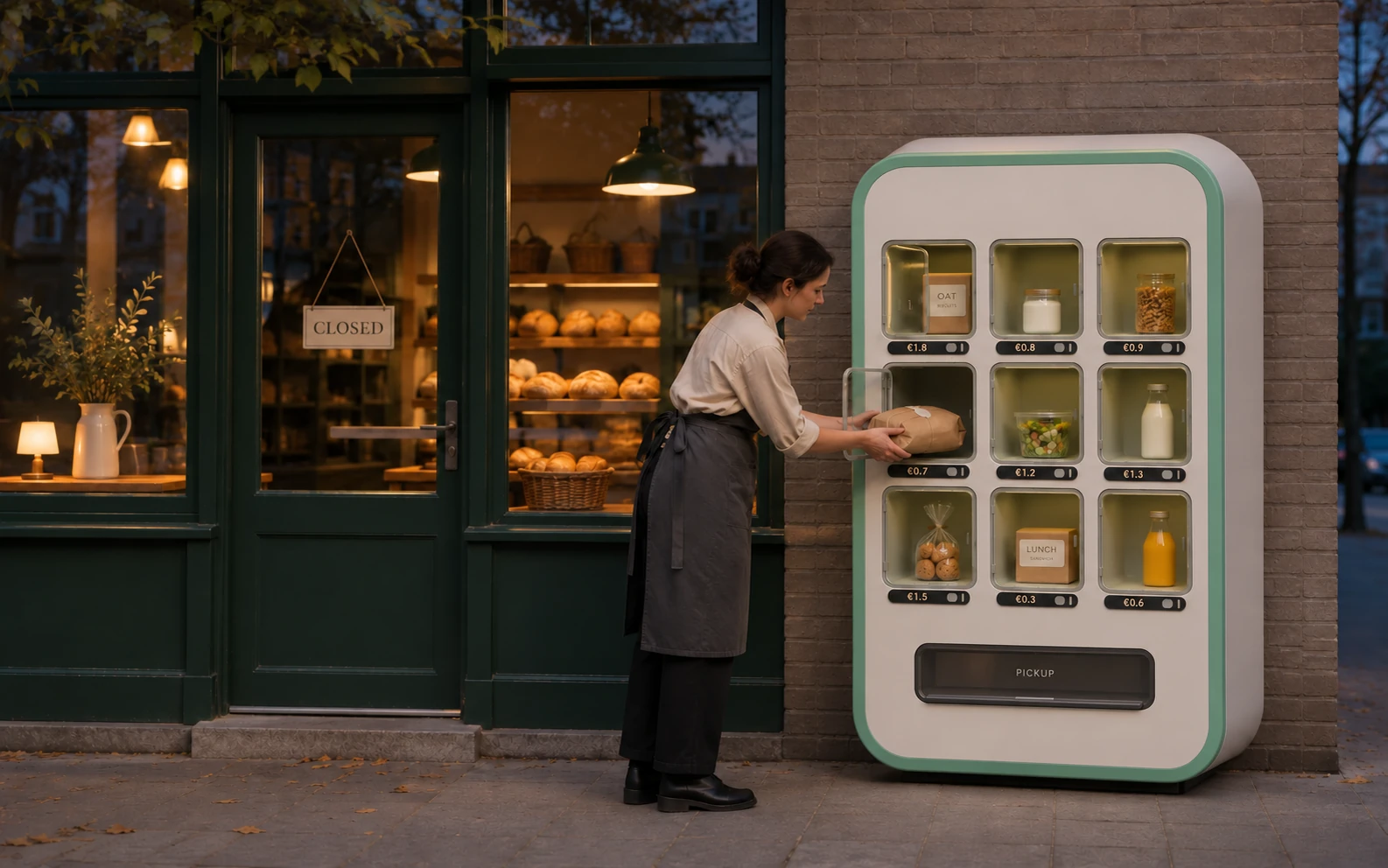
A baker stocks the cabinet beside the closed bakery at dusk.
AI-generated interpretation of the closing-time sketch.

Screen archive

From publishing stock to collecting food after hours. Select an image to enlarge it.
Retailer app2 screens
Retailer sets a price and assigns loaves to cabinet compartments.
Manage stock
Confirmation that the cabinet is locked and the stock is visible to customers.
Stock published
Customer app2 screens
Gil’s Bakery listing showing priced and free loaves available after closing.
Available at Gil’s Bakery
Walking directions to the cabinet outside Gil’s Bakery.
Walking directions
Cabinet pickup2 screens
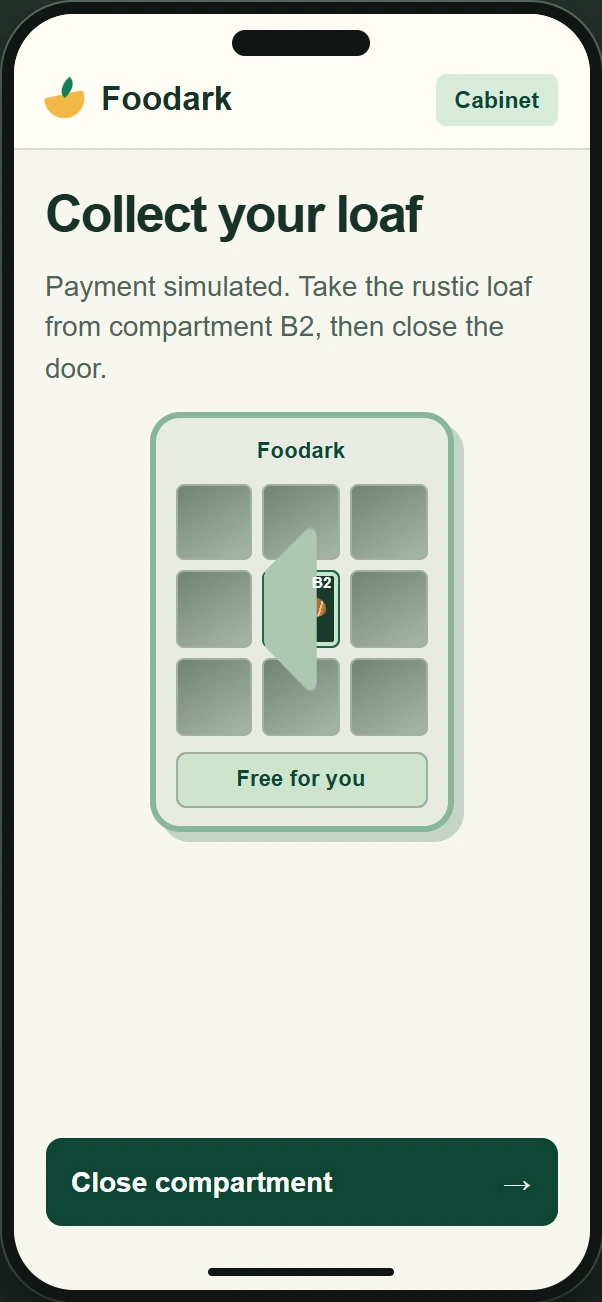
Pickup prototype with the paid B2 compartment open.
Open the paid compartment
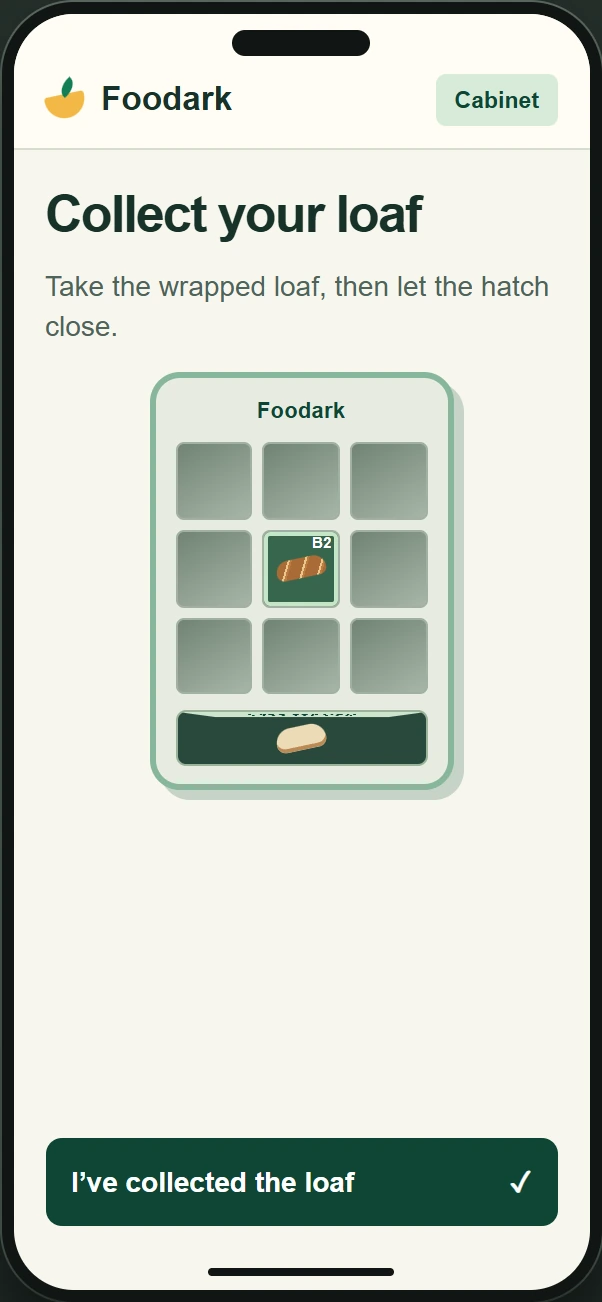
Pickup prototype with a loaf ready in the open free hatch.
Collect from the free hatch